Build your own AI team for your business. Just by describing it.
Biilda is a desktop app that builds itself around your business — a team of AI employees that automate your repetitive work with the skill and precision of top-tier professionals. No code. No limits.
Windows & macOS · runs on your machine · no credit card to start
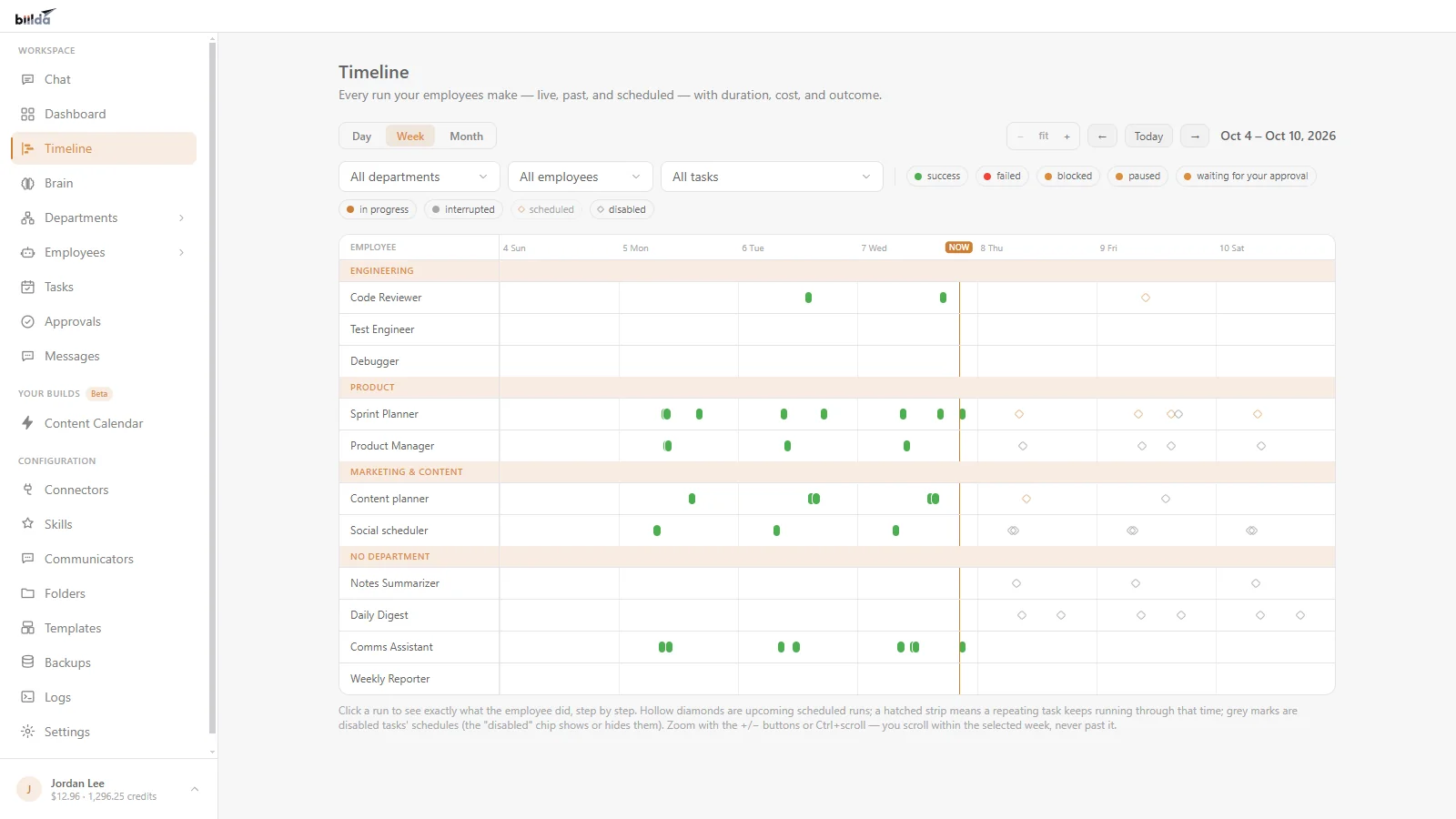
The Timeline: every run your AI employees make, live, past and scheduled. See every screen →
What is Biilda? An AI assistant that builds the automation for you
Biilda is an AI agent app for small business. You set it up by describing what you want in chat, in plain English, and it builds the AI employees, scheduled tasks and integrations that do the work. No code, no flowcharts.
It runs on your Windows or Mac computer, so your workflows, connections and history stay on your machine. Anything risky waits for your approval before it runs.
Biilda is free to download, and you pay as you go: you only pay for what you use, in plain dollars, with a spend cap you control and no subscription. Want the longer answer? Read how AI employees work for a small business.
AI employees that handle email, research, scheduling and reports
An app that builds itself up
Biilda doesn’t just create things for you — it builds the features you ask for right into itself, live. The app grows into the exact tool your business needs, tailored to how you actually work.
Hire a whole team of AI employees
Run a one-person company that works like fifty. Create AI employees for sales, support, research, admin — each owns a role and works around the clock so you don’t have to.
Automate repetitive work with precision
Hand off the tasks that eat your day. Biilda does them consistently and accurately — every time, on the schedule you set — with high skill, not shortcuts.
Give your employees top-tier skills
Add skills to any employee and it performs like a seasoned professional — a sharp copywriter, a rigorous analyst, a relentless closer. Level them up just by asking.
Describe it in chat. Then watch your team work.
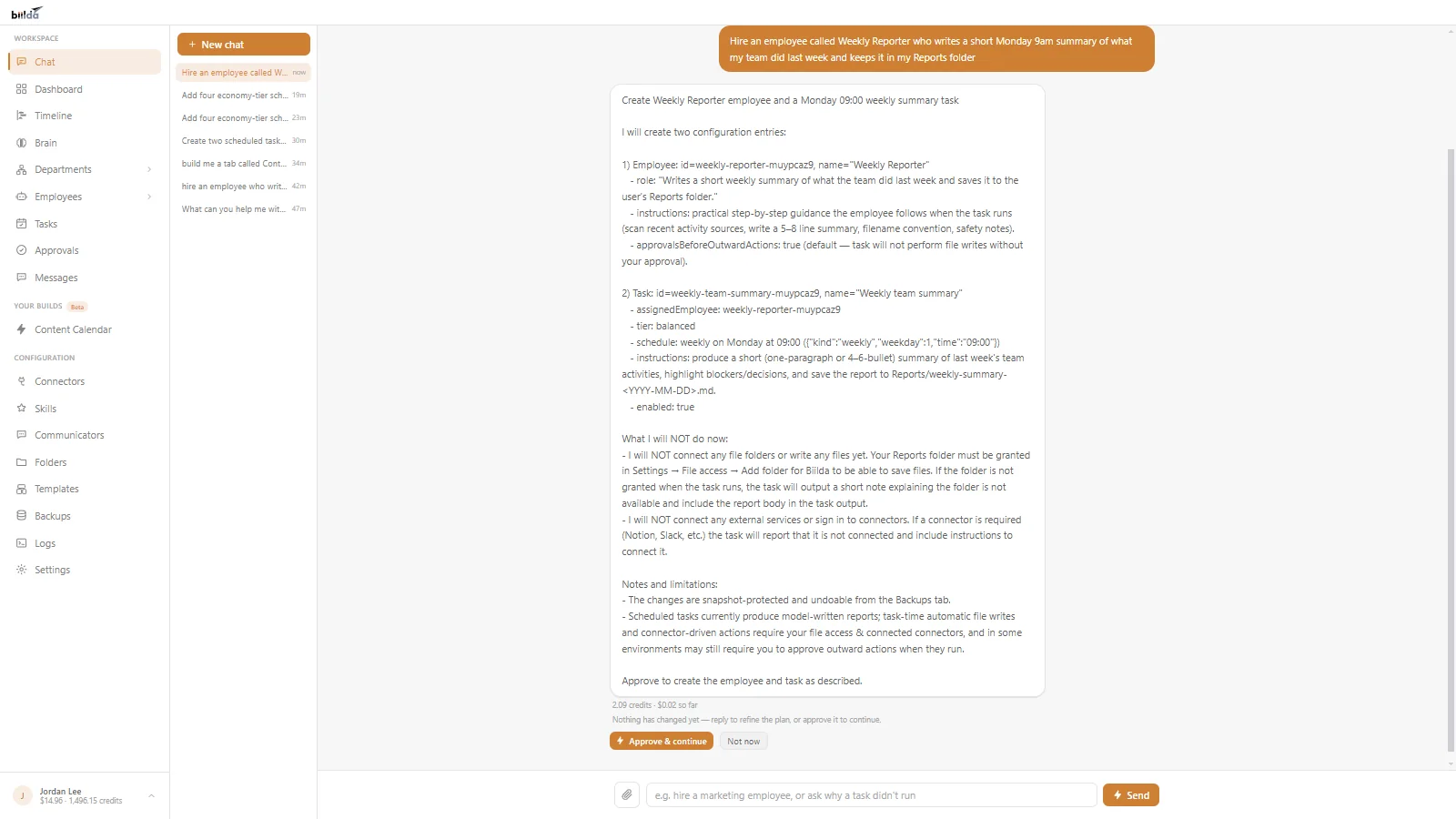
Chat
Describe what you want. Biilda drafts a plan and waits for your approval before it builds anything.
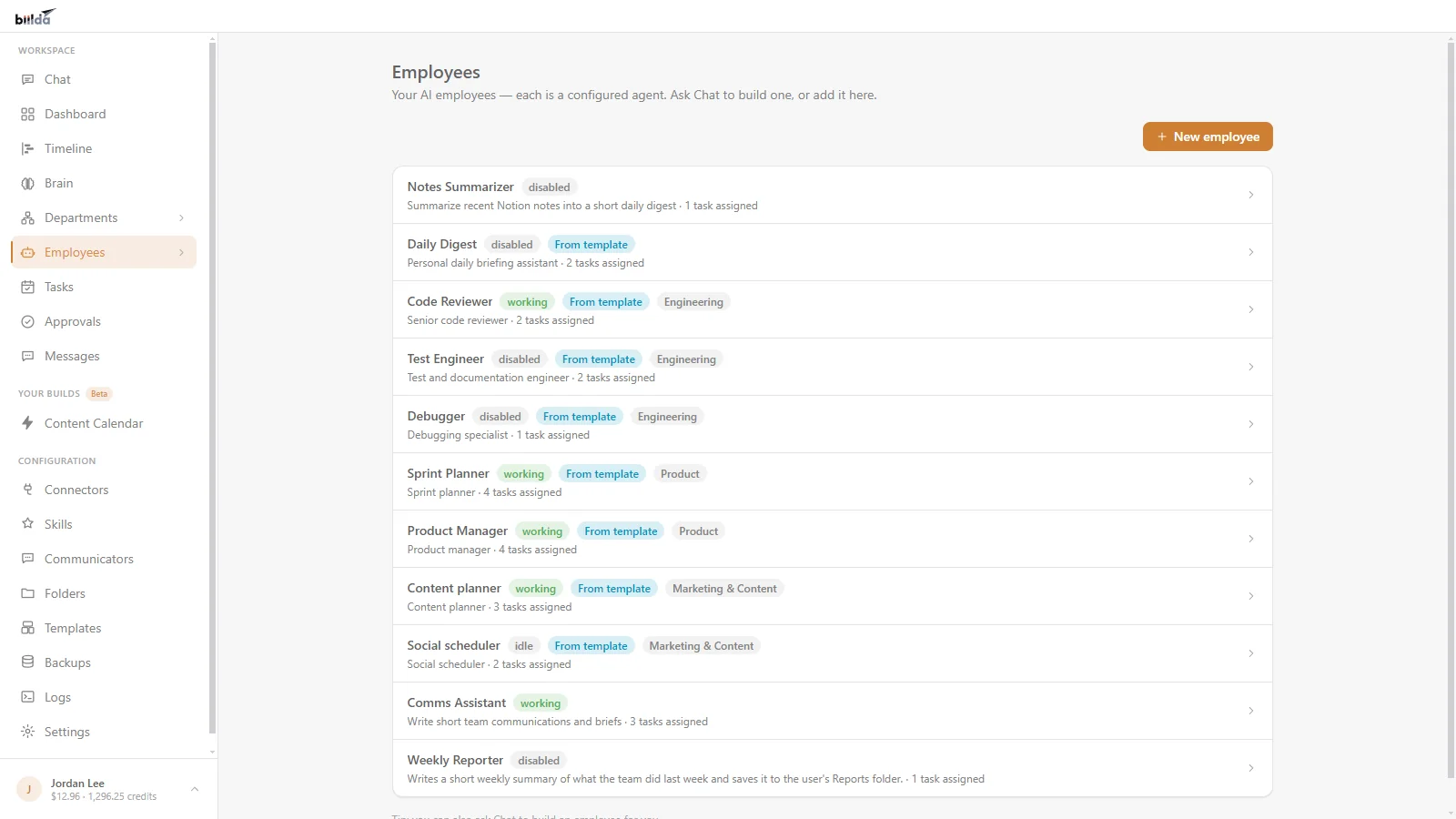
Employees
Your AI employees, each with a role, a department and the tasks it owns, and whether it is working, idle or switched off.
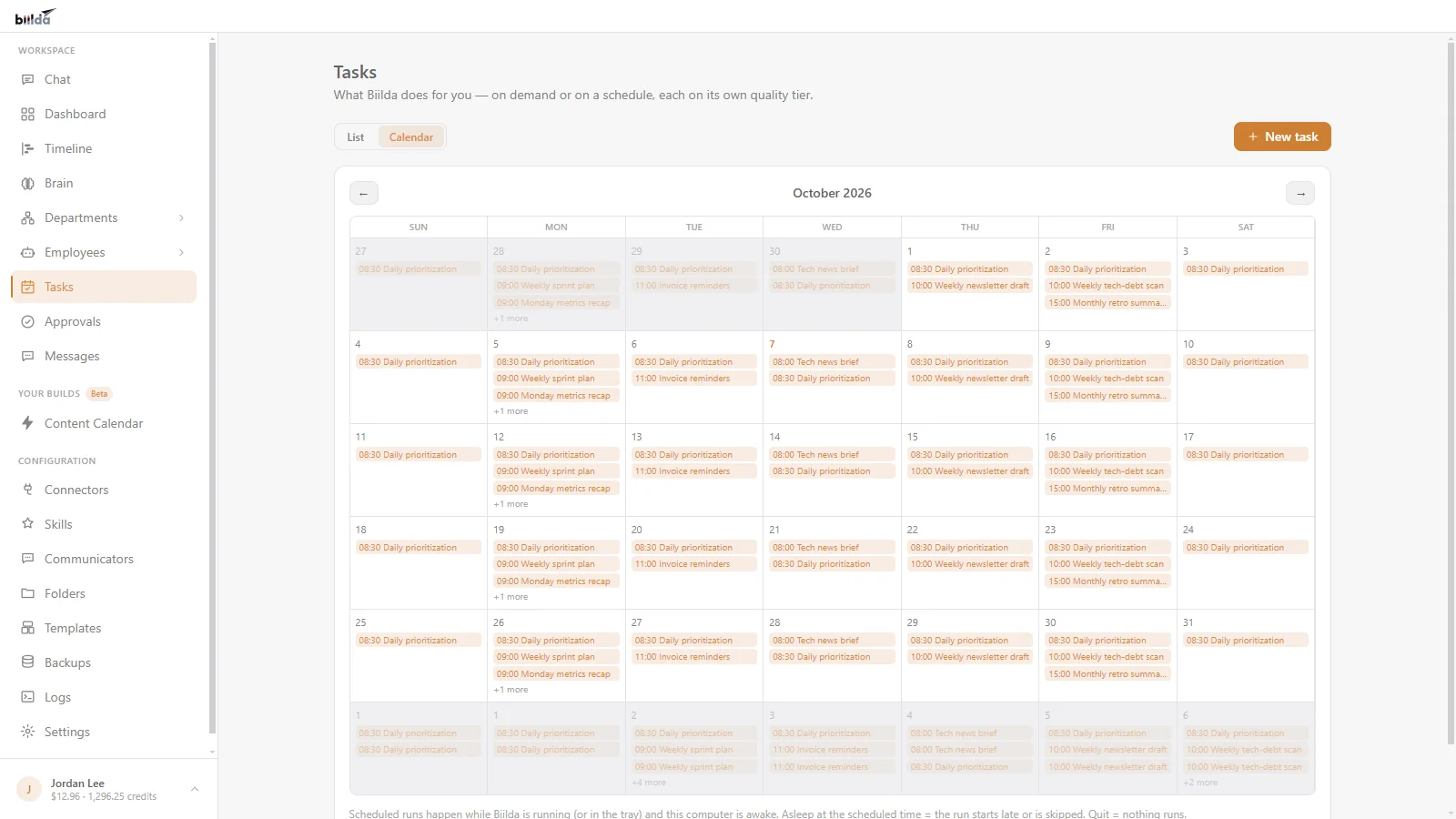
Tasks calendar
Every scheduled task on a calendar, month by month, so you can see what runs when.
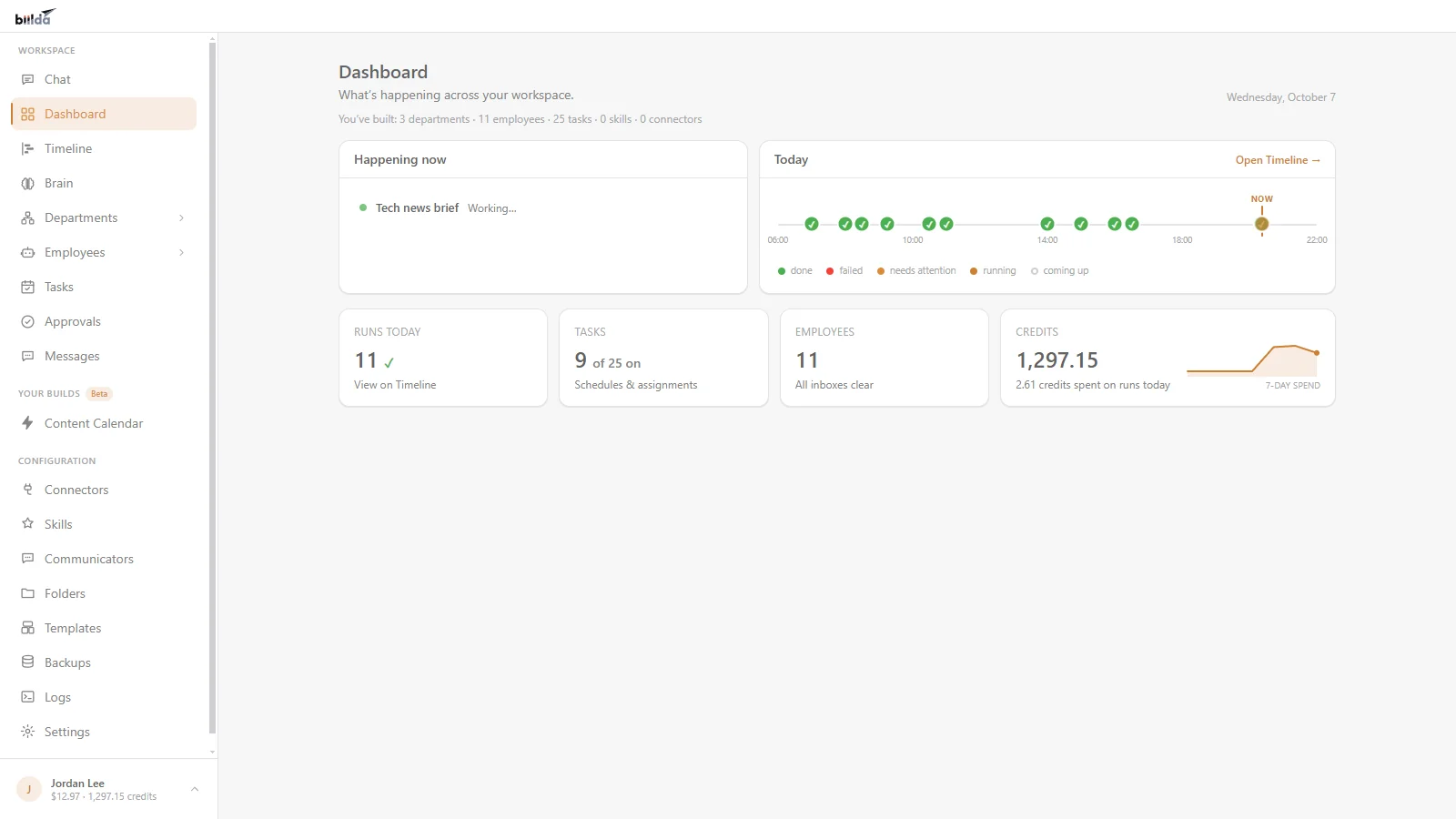
Dashboard
What is happening right now: runs today, tasks on schedule, your employees and your credits.
Install a whole department in one click
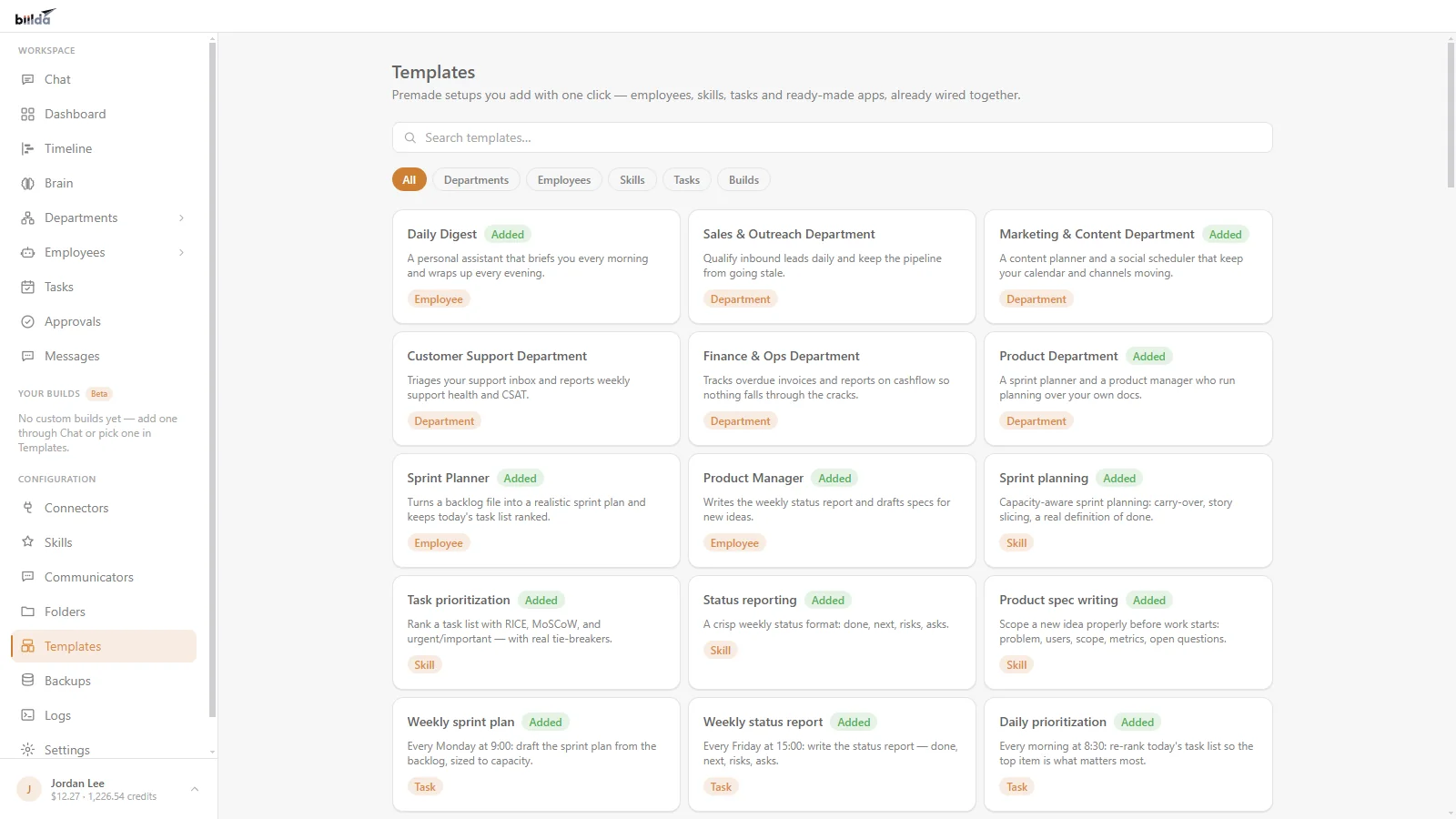
Skip the blank-canvas problem. Install a ready-made Sales, Marketing, Support, or Finance department — a full team of AI employees, their skills, and their scheduled tasks — installed together and ready to run. Want just one piece? Install a single employee, skill, or task on its own. Smart install never overwrites anything you’ve already customized.
- Ready-made departments for Sales, Marketing, Support, Finance, and more
- Each comes with its employees, skills, and scheduled tasks already wired together
- Install the whole thing, or just the pieces you want — your edits are always safe
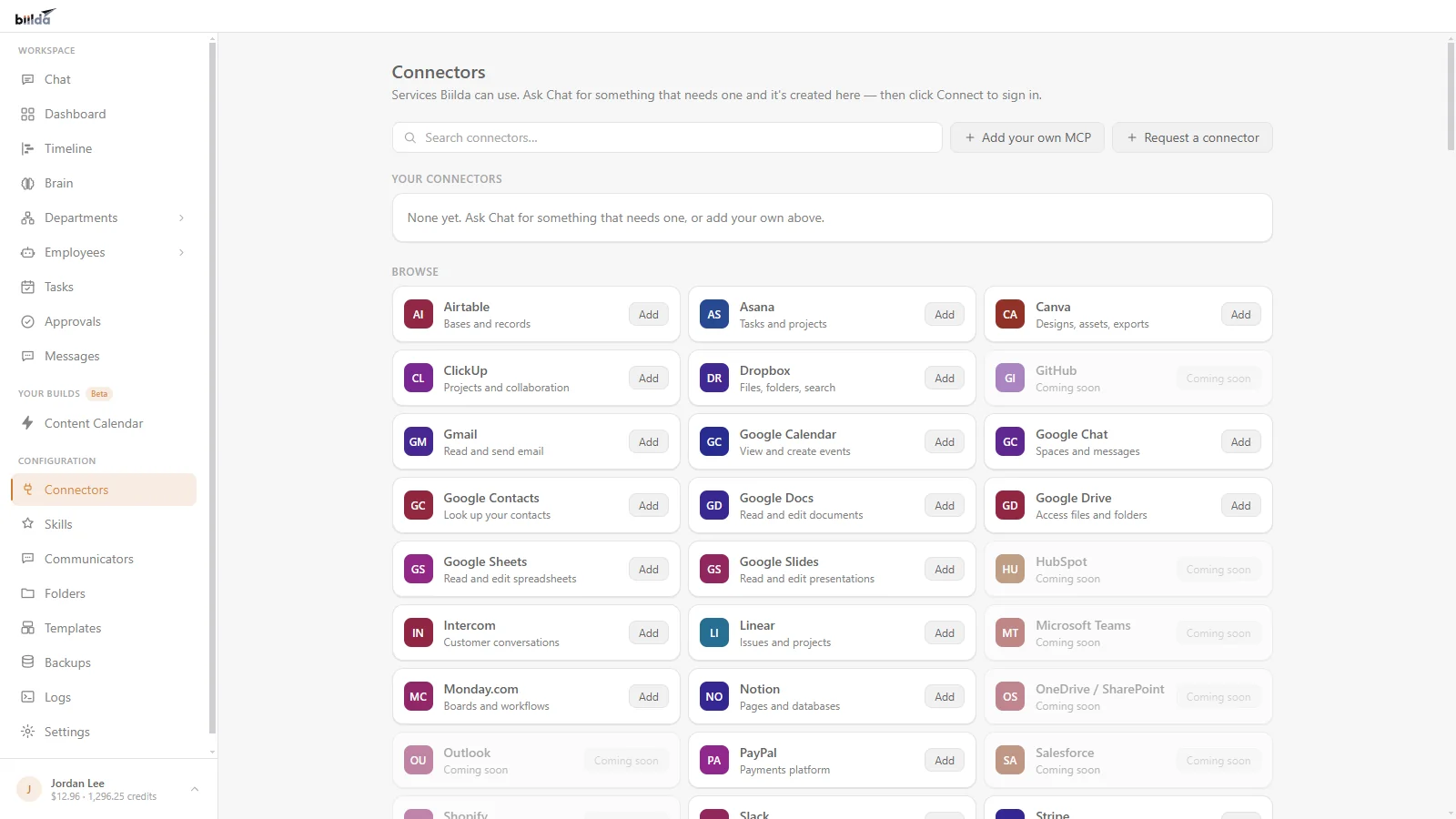
Works with Gmail, Slack and your other tools, and asks before it acts
Connect Slack and talk to Biilda from your phone. Ask for an update, kick off a task, or approve something on the go — even when you’re nowhere near your computer. Your AI employees keep working; you just check in.
- Use the messaging apps you already live in
- Run tasks and get answers without opening the app
- Approve actions and stay in control from your pocket
Be a company of one that runs like a company of fifty — without hiring, coding, or stitching together ten different tools.
Powerful, private, and effortless
No code. No technical skill.
If you can describe it, you can build it. Setup takes minutes, by talking — not months of configuration.
Yours, and private
Biilda runs on your machine. Your workflows, connections and history stay on your computer — only what’s needed to answer an AI request leaves it.
Works while you sleep
Schedule tasks and your AI staff run in the background — even when the window is closed or your screen is locked.
Grows with you
Need something new? Just ask. Biilda writes, tests, and adds the feature — one app that becomes whatever your business needs next.
Build by talking. Stay in control.
Describe it
Tell Biilda what you want in chat — an assistant, a workflow, a whole new tool.
It builds + tests
Biilda snapshots, builds in a sandbox, tests, and health-checks before anything goes live. Watch every step in plain English, and stop anytime.
You approve + run
Review, approve, and it runs. Anything risky waits for your sign-off; everything is reversible.
Every change is snapshotted automatically, and you only pay for what you use — in plain dollars, with a spend cap you control. If something isn’t right, roll back in one click.
AI automation for small business: common questions
How can I automate my small business with AI?
Describe what you want in chat, in plain English. Biilda builds it as an AI employee, a scheduled task or an integration with a tool like Gmail or Slack, then runs it on the schedule you set. Anything risky waits for your approval before it runs.
What is AI automation and how does it work?
AI automation means an AI does repetitive work for you instead of you doing it by hand or wiring up rules. With Biilda you describe the job; Biilda builds it, tests it before anything goes live, and you approve it. After that it runs on demand or hourly, daily or weekly.
Do I need to code to automate my business?
No. If you can describe it, you can build it. Setup takes minutes, by talking to Biilda, with no code and no technical skill.
What can I automate first in my small business?
Start with one small, repetitive job: a weekly summary, a batch of follow-up drafts or a research brief. Run it on demand until you trust the result, then put it on a schedule.
Is AI automation safe for my business data?
Biilda runs on your computer. Your workflows, connections and history stay on your machine; only what is needed to answer an AI request leaves it. Risky actions wait for your sign-off, every change is snapshotted so you can roll back, and a hard spend cap means you never spend more than you have added.
Free to download. Pay only for what you use, with a spend cap
Download Biilda, describe your first idea, and watch your AI workforce come to life — tailored to exactly how you work.